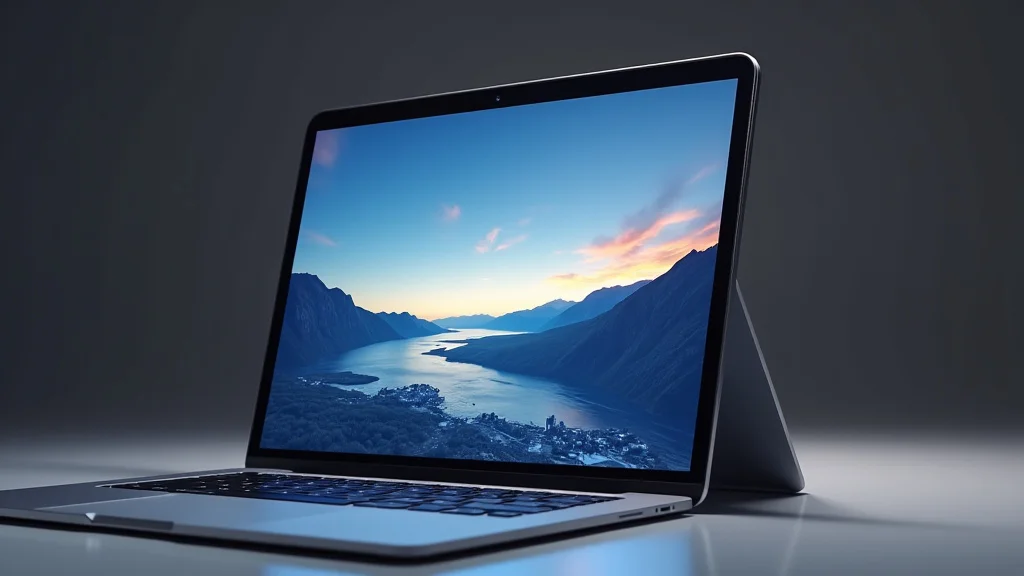
Picture this: you’re working on a creative project, and you wish you could just reach out and touch the screen to make adjustments. It would be a game-changer, right? Well, many people are wondering if Apple will make this a reality. They have always been known for their innovation. This article will explore the likelihood of a touch screen laptop from Apple, the potential benefits, and the possible challenges. You’ll gain valuable insights into Apple’s tech strategies and what to expect from future devices. This information will not only satisfy your curiosity but also help you make informed decisions about your tech purchases.
The Current Landscape of Touch Screen Laptops
Touch screen laptops are becoming increasingly common. Many manufacturers already offer models with this feature, and their popularity has grown considerably. This technology is typically seen in the “2-in-1” designs, which provide the flexibility of a tablet and a laptop. These devices often have a hinge that allows the screen to rotate, convert to tablet mode, or fold completely.
For example, using a touch screen can be particularly useful for creative tasks. Artists and designers can use a stylus to draw directly on the screen, providing a more natural and intuitive way of working. Many students also find that a touch screen streamlines note-taking. These devices often include features like handwriting recognition, which converts your pen strokes into typed text.
Advantages of Touch Screen Technology
Touch screen technology offers several benefits. It can enhance user interaction, improve productivity, and open up new possibilities for creative expression. Let’s explore some of these advantages in more detail.
- Enhanced User Interaction: A touch screen allows for a more direct and intuitive interaction with the device. Instead of relying solely on a trackpad or mouse, users can simply tap, swipe, and pinch to control the interface. This can make the user experience more engaging.
- Improved Productivity: Many tasks are faster and easier with a touch screen. Dragging and dropping files, scrolling through documents, and selecting items become quick. This can lead to increased efficiency, particularly for professionals who work with complex software or manage large amounts of data.
- Creative Expression: Touch screens can be a boon for artists, designers, and anyone who enjoys creative tasks. A stylus allows for precise drawing and sketching, replicating the experience of using a pen or pencil. Many graphic design programs are optimized for touch and stylus input, providing a superior experience compared to using a mouse.
- Accessibility: For users with motor impairments, touch screen laptops can be more accessible. The direct interaction can eliminate the need for a mouse and make the device easier to operate. Customization options, such as larger icons and on-screen keyboards, can also enhance usability.
The core concept is simple: by removing the barrier of indirect input methods (mouse and trackpad) and letting users touch the screen directly, device interaction becomes more natural. This is especially useful for tasks like browsing, photo editing, and content creation.
Touch screens can improve productivity. Consider this example: a real estate agent using a touch screen laptop to present properties to clients. They can quickly zoom in on images, highlight key features, and move through the presentation intuitively.
Artists gain control. For example, illustrators and digital artists can directly translate their hand movements onto the screen. This allows for a more natural flow and control.
There are accessibility advantages, providing options for people with disabilities, and offering flexibility.
Apple’s History and Current Product Strategies
Apple has a history of innovation. They are known for their commitment to user experience and design. However, their stance on touch screen laptops has been different. Apple’s product line includes MacBooks, which currently do not offer touch screen capabilities. They have instead focused on the trackpad for navigation.
The company also provides the iPad, a tablet with a touch screen. This design choice highlights Apple’s belief in separating touch screen functionality from its traditional laptops. Apple’s business strategy often revolves around creating distinct product categories that cater to different needs and use cases. This approach allows them to optimize each device’s specific feature set.
Apple’s Design Philosophy
Apple’s design philosophy is about simplicity, elegance, and integration. Their product decisions are usually driven by a focus on providing the best possible user experience. This has led them to carefully consider how they integrate features such as touch screens into their product line.
- User Experience: The company places a high priority on the user experience. They conduct testing and research to ensure that the interaction feels seamless and intuitive.
- Hardware and Software Integration: Apple is known for its deep integration of hardware and software. This allows them to optimize the performance and functionality of their devices.
- Product Differentiation: Apple has a strategy of creating distinct product lines. Each line is designed to excel in a particular area. The MacBook family is optimized for productivity, while the iPad is optimized for content consumption and portability.
- Market Analysis: Apple performs extensive market analysis to determine whether a feature is likely to be well-received by their customers and how it may impact their brand image. They study trends, the competition, and customer feedback.
User-centered design: By focusing on how users will interact with the device, Apple assesses whether touch screen integration enhances or detracts from the experience. They study aspects like how a touch screen would affect keyboard use and overall ergonomics.
They create their own operating systems, which work with the hardware. This tight integration means they can fine-tune every aspect of the user experience, from responsiveness to battery life.
Each product line is distinct, catering to the unique needs of different users.
Apple thoroughly researches market trends, including customer feedback.
Will Apple Make a Touch Screen Laptop? Examining the Possibilities
Given Apple’s history and current strategies, there are several perspectives on whether they will introduce a touch screen laptop. While they have resisted this feature in the past, the technology landscape is changing. The increasing popularity of touch screen devices and the evolution of software are changing the way people use their devices.
There are some signals that Apple might consider touch screen technology for its laptops in the future. Apple has increased its focus on software compatibility between macOS and iPadOS. They have also invested heavily in the development of the M-series chips. These developments could enable new possibilities for device integration.
Arguments for a Touch Screen MacBook
There are compelling reasons for Apple to consider a touch screen MacBook. These factors could make it a worthwhile project.
- Increased Market Demand: As the demand for touch screen laptops continues to grow, Apple may want to offer a product that meets this demand. The company is known for responding to trends in the market.
- Improved User Experience: A touch screen could improve the user experience for certain tasks, such as content creation and media consumption. Apple is known for user experience.
Enhanced usability: By providing an interface that’s suited for direct interaction, the user experience could be significantly improved for specific tasks.
- Enhanced Versatility: A touch screen MacBook could be more versatile, allowing users to switch between laptop mode and tablet mode. This flexibility could be attractive to many consumers.
- Integration of iPad Features: By incorporating touch screen technology, Apple could further integrate the functionality of the iPad. The design may allow for a more streamlined user experience between the two devices.
Consumer preferences: They continually monitor consumer behavior and trends to ensure their products remain aligned with market demands.
Versatility is an important factor. A device that can adapt to different usage styles is always attractive.
Apple constantly assesses ways to improve the user experience across all of its devices, and that has become one of its strongest selling points.
Potential Challenges and Drawbacks
Although there are advantages, there are some reasons why Apple might continue to resist touch screen laptops. These are the main reasons that would impact a product’s launch.
- User Experience Concerns: Apple has built its reputation on devices that offer a specific type of user experience. They might believe that adding touch screen functionality could compromise that experience.
- Ergonomic Considerations: The ergonomics of a touch screen laptop could be a challenge. Holding your arm up to use the screen for an extended period of time may not be comfortable.
- Software Optimization: Optimizing the macOS operating system for touch screen input would require significant time and effort. This is an important consideration for Apple.
- Product Differentiation: Introducing a touch screen MacBook could blur the lines between the MacBook and the iPad, making it difficult for consumers to choose the right product.
Apple emphasizes user-centric design. Any potential new feature should complement, not detract from, a device’s performance.
Apple must consider how users interact with the device over longer periods. A device may need to work well in various settings.
They would have to rewrite software to ensure a smooth transition from mouse and keyboard control to touch control.
Product differentiation: It could diminish the unique features of the iPad if a MacBook were to offer similar capabilities.
Technical Considerations for a Touch Screen MacBook
If Apple were to create a touch screen MacBook, several technical factors would need to be addressed. These considerations impact the design and performance of the device.
Display Technology
The display is an important part of a touch screen laptop. Apple would have to choose the right display technology to ensure a good user experience.
- Panel Technology: Apple typically uses IPS (In-Plane Switching) LCD panels for its MacBook displays. These provide good color accuracy, wide viewing angles, and excellent image quality.
- Touch Sensitivity: The touch screen must be responsive and accurate. Apple would likely use capacitive touch technology, which is the most common and provides a responsive experience.
- Durability: The screen must be durable to handle regular use. Apple would likely use a protective layer of glass, such as Corning Gorilla Glass, to prevent scratches and damage.
- Integration of Stylus Support: To improve the experience for artists and designers, Apple might integrate support for the Apple Pencil. This would require specific hardware, like a digitizer layer, and software integration to enable pressure sensitivity and tilt recognition.
Display technology: IPS panels would probably still be the best choice for a touch screen MacBook, providing consistent quality and performance.
They would use capacitive touch technology, providing a good user experience.
A durable screen is vital to the product’s performance.
The Apple Pencil: It would be a strong selling point for creative users.
Operating System and Software
The operating system and software play a central role in a touch screen MacBook. Apple would have to optimize macOS to support touch input. This would likely involve changes to the user interface, gestures, and application compatibility.
- macOS Optimization: The existing macOS interface is not optimized for touch screens. Apple would need to redesign and improve it to make it touch-friendly.
- Gesture Support: Apple would need to add support for gestures, such as swiping, pinching, and tapping, to help people navigate the operating system.
- Application Compatibility: Apple would have to ensure that third-party applications are compatible with touch screens. They might provide tools and resources to help developers optimize their apps.
- Software Ecosystem: Integrating touch screen features could allow for better integration between macOS and iPadOS. Users could move between devices with more ease.
macOS redesign: They would have to redesign it to make it accessible to touch controls.
Apple could adapt gestures from the iPad to ensure the interface is user-friendly.
Apple would offer tools for developers.
It would allow for smoother transitions.
Hardware and Design
The design of a touch screen MacBook would be critical. Apple would need to consider the form factor, materials, and other factors to create a well-designed device.
- Form Factor: Apple may use a 2-in-1 design to allow the screen to rotate or detach from the keyboard. Alternatively, they could stick with the traditional laptop form factor.
- Hinge Mechanism: A 2-in-1 device would need a robust hinge mechanism that allows the screen to rotate smoothly and safely.
- Materials: Apple is known for using premium materials. They would likely use aluminum or other high-quality materials to provide a durable and attractive device.
- Weight and Portability: The device would have to remain portable, even with the added components required for touch screen functionality.
2-in-1 design: This would provide versatility, appealing to a broader consumer base.
The hinge would be tested and perfected to allow for rotation and for holding the screen in any position.
High-quality materials are a standard for Apple. They would likely use aluminum.
Portability: Apple must ensure the device is not too heavy or bulky.
Apple’s Competition and Market Trends
Apple is always aware of the competition. The company monitors market trends and competitor strategies to make informed decisions. Many of Apple’s competitors already offer touch screen laptops. Apple must assess the market landscape before they choose to produce a new device.
There are many touch screen laptops on the market, from brands like Microsoft, HP, Dell, and Lenovo. Microsoft’s Surface line is the most well-known, offering innovative 2-in-1 designs that often set the standard for the industry. Many of these devices feature innovative features, such as detachable keyboards and stylus support. These are designed to be used in various settings, which gives them a competitive edge.
Market Trends and Consumer Demand
Demand for touch screen laptops has increased. This trend may influence Apple’s decision to enter the market. The availability of innovative features, such as stylus support and 2-in-1 designs, has contributed to this growth. This is a crucial factor.
- Increased Adoption: The increasing popularity of touch screen laptops indicates that consumers are ready for this technology.
- Versatility and Flexibility: Consumers value devices that provide flexibility and versatility. Touch screen laptops are useful in many different settings.
- Creative Applications: The increased adoption of stylus input, especially among artists and designers, suggests that the market for creative devices is growing.
- Work and Education: Touch screen laptops are used in many educational settings and professional environments.
Consumer demand: The consumer market shows that this technology is gaining acceptance.
The versatility of these devices is a strong selling point.
This allows designers to be more creative.
Touch screen laptops offer flexibility in a variety of industries.
Real-Life Examples
Here are some examples of real-life applications and results for touch screen laptops:
- Case Study: Graphic Designer. A graphic designer switched to a touch screen laptop with stylus support for their design work. They reported that their workflow increased by 30%. The direct input improved their efficiency, and the tools helped them to be more creative.
- Case Study: Student. A student used a 2-in-1 touch screen laptop for taking notes. Using the stylus to write directly on the screen allowed them to take notes more quickly and organize them more efficiently. The student reported that this approach improved their grade by 10% in their courses.
Graphic designers have found that touch screen laptops streamline their work.
Students also benefit. In addition to convenience, touch screen laptops have improved their grade by 10%.
Sample Scenarios
- Scenario 1: Travel Convenience. A consultant is traveling. They need to prepare a presentation for a client. With a touch screen laptop, they can quickly review and modify the presentation while on the go. They can also use it as a tablet to consume content or read books on their flight.
- Scenario 2: Creative Project. An artist uses a touch screen laptop to create digital art. The stylus allows them to sketch and paint directly on the screen, improving their creative process.
The flexibility of a touch screen laptop makes travel easier.
Artists use touch screen laptops to create art.
According to Statista, the global market size of touch screen laptops was valued at around $38.7 billion. Projections show that this market will reach $53.38 billion by the year after next.
| Year | Market Value (USD) |
|---|---|
| Current Year | $38.7 Billion |
| Next Year | Projected Growth |
| Year After Next | $53.38 Billion (projected) |
Frequently Asked Questions
Question: Will Apple release a touch screen laptop?
Answer: It’s uncertain. Apple hasn’t announced plans for a touch screen MacBook. There’s potential, but it depends on factors like market demand and their design philosophy.
Question: What would the advantages be?
Answer: A touch screen could improve user interaction for creative tasks. Touch functionality might also enhance versatility and allow closer integration with iPad features.
Question: What are the potential challenges?
Answer: Challenges include integrating a user-friendly touch interface, ergonomic issues, and the risk of blurring product lines. Apple also focuses on distinct product differentiation.
Question: How would a touch screen MacBook differ from an iPad?
Answer: A touch screen MacBook might offer more computing power and a traditional laptop keyboard, making it suitable for productivity-focused tasks. The iPad focuses on content consumption and mobile usage.
Question: What display technologies might Apple use?
Answer: They would probably use an IPS LCD panel and a responsive touch screen. Apple might incorporate support for the Apple Pencil, with a digitizer layer for improved functionality.
Final Thoughts
So, will Apple make a touch screen laptop? The future is uncertain, and there is no simple answer. Apple has a complicated relationship with touch screens on their laptops. The company is committed to user experience. The growing market for touch screen laptops, the demand from consumers, and the progress of software and hardware technology, create a strong argument for Apple to enter this market. But there are also concerns, such as user experience and product differentiation.
The company is not one to rush into things. Apple will make their decisions based on a range of factors. Keep an eye on Apple’s product announcements. Follow tech news and reviews to stay informed about the latest developments. They are always exploring opportunities to improve user experience, so anything is possible. Apple’s next move in the laptop market could be a game-changer. Be ready for whatever the company decides to unveil. The future of technology is exciting.


